Sell with nobody at the desk
The customer buys online, receives a QR code, scans it at the simulator and starts the race alone, from the wheel. What it earns you: opening hours you can sell even when nobody is staffing the front desk.
Guide · Revenue
A center can never sell more hours than its simulators have. Omnisim works where the margin is: the empty hours, the money collected before the race, the drivers who come back, and the takings you keep in full.
The levers
Each of them exists elsewhere in some form. Omnisim brings them together, from the online sale to the steering wheel, without your team having to step in between.
The customer buys online, receives a QR code, scans it at the simulator and starts the race alone, from the wheel. What it earns you: opening hours you can sell even when nobody is staffing the front desk.
Every product and every promo code has its own usage hours, locked onto the ticket at the time of purchase. What it earns you: off-peak hours filled at a lower price, without discounting the busy ones.
Session booklets, passes capped per day or per weekday and weekend, memberships billed every month, and printable PDF booklets sold to companies. What it earns you: cash up front, revenue that comes back every month, and a customer who has already paid for the next visit.
When idle, the screensaver shows the booking QR code and replays the purchase journey full screen. What it earns you: a sale that starts at the simulator itself, while the urge is still there.
Best-lap challenges ranked on your venue screens, email campaigns that reach each driver at the right moment, and a driver area where they follow their progress. What it earns you: drivers who return to beat a time, outside the weekend rush.
Payments land on your own Stripe account. Omnisim takes no commission on your sales and charges nothing extra per center. What it earns you: every extra sale stays with you, Stripe fees aside.
In practice
Everything happens in NEXUS, Omnisim's operator console. Step-by-step instructions are in the documentation.
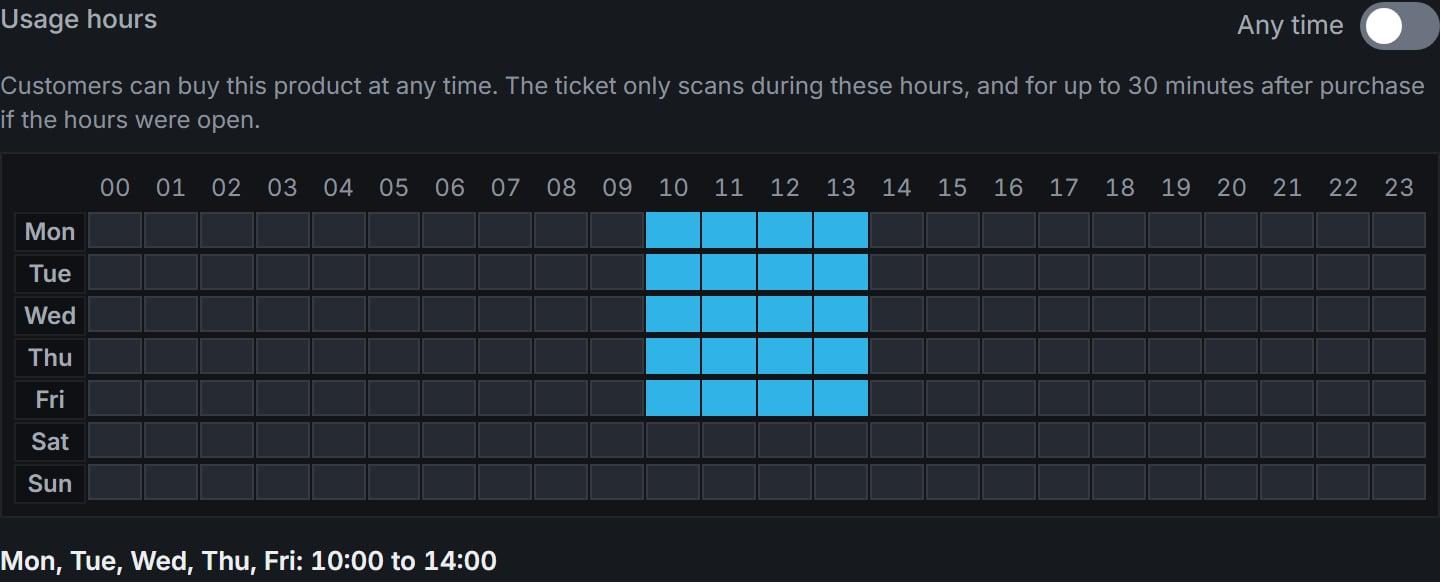
Create a cheaper session, switch off “Any time” and tick the quiet slots: Monday to Friday, 10 am to 2 pm for instance. The ticket only scans during those hours.
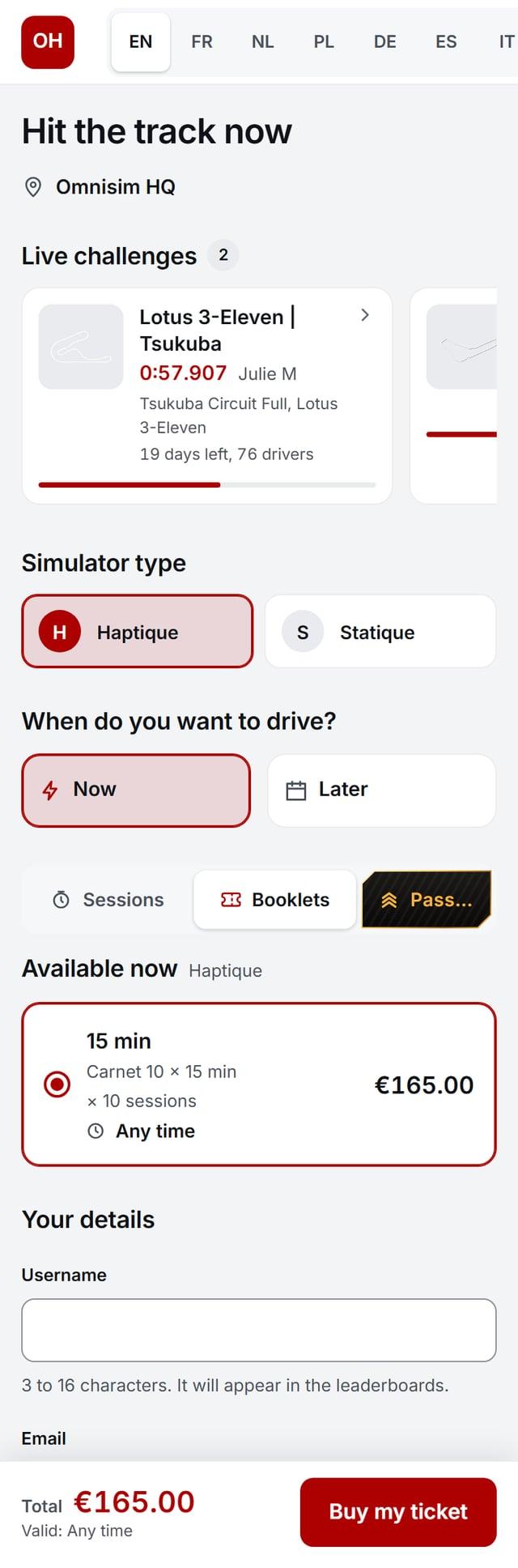
A promo code can carry its own hours too: customers buy it whenever they like, but only drive at the times you set. On the booking page they choose “Now” or “Later” and only see the offers open at that moment.
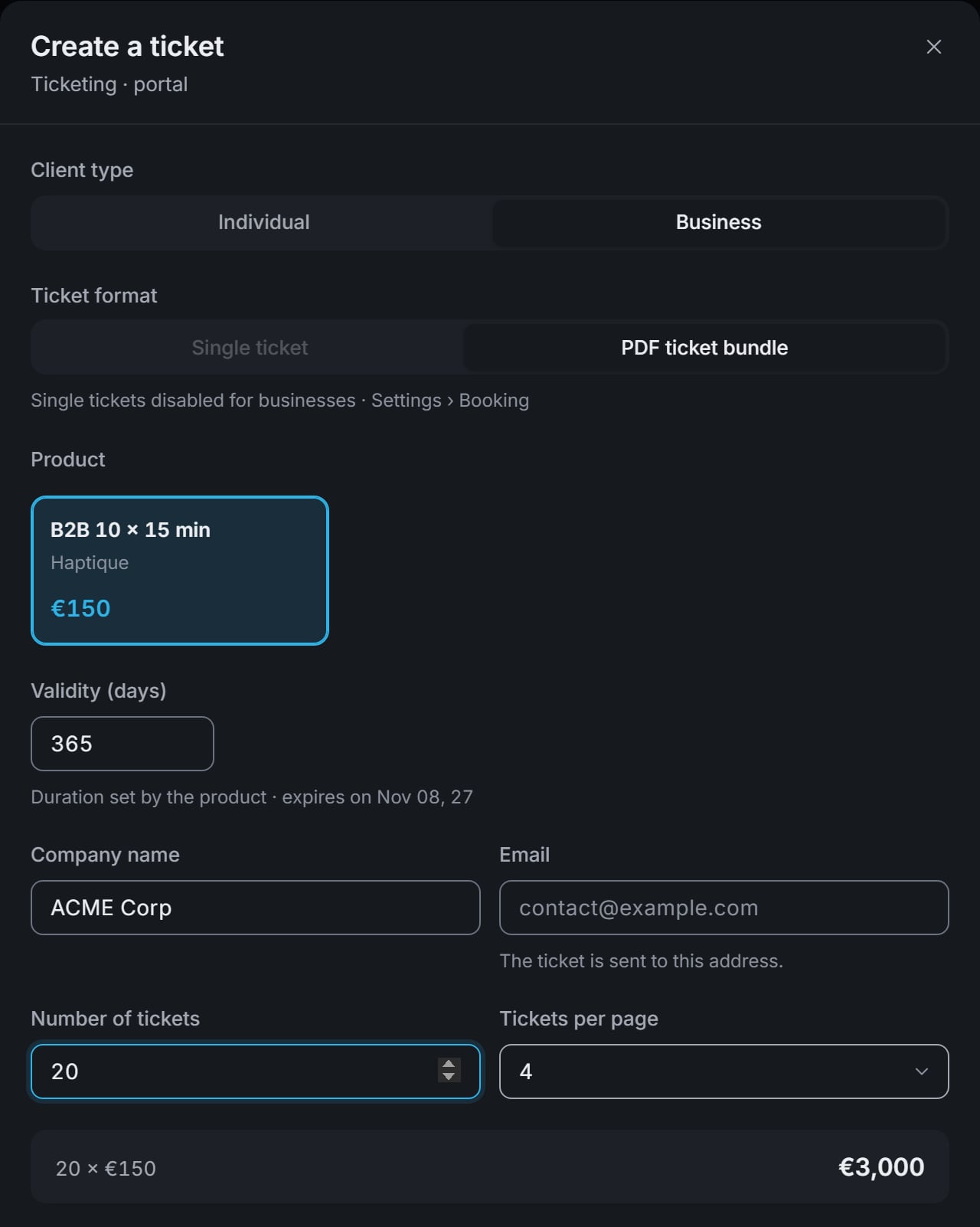
A 10-session booklet sells online just like a session, at a gentler price per session. One QR code, several visits, and the unused time of an interrupted session stays on the ticket.
For a works council, a team event or client gifts, generate a batch of printable tickets in one go. The PDF is emailed; each ticket is its own QR code.
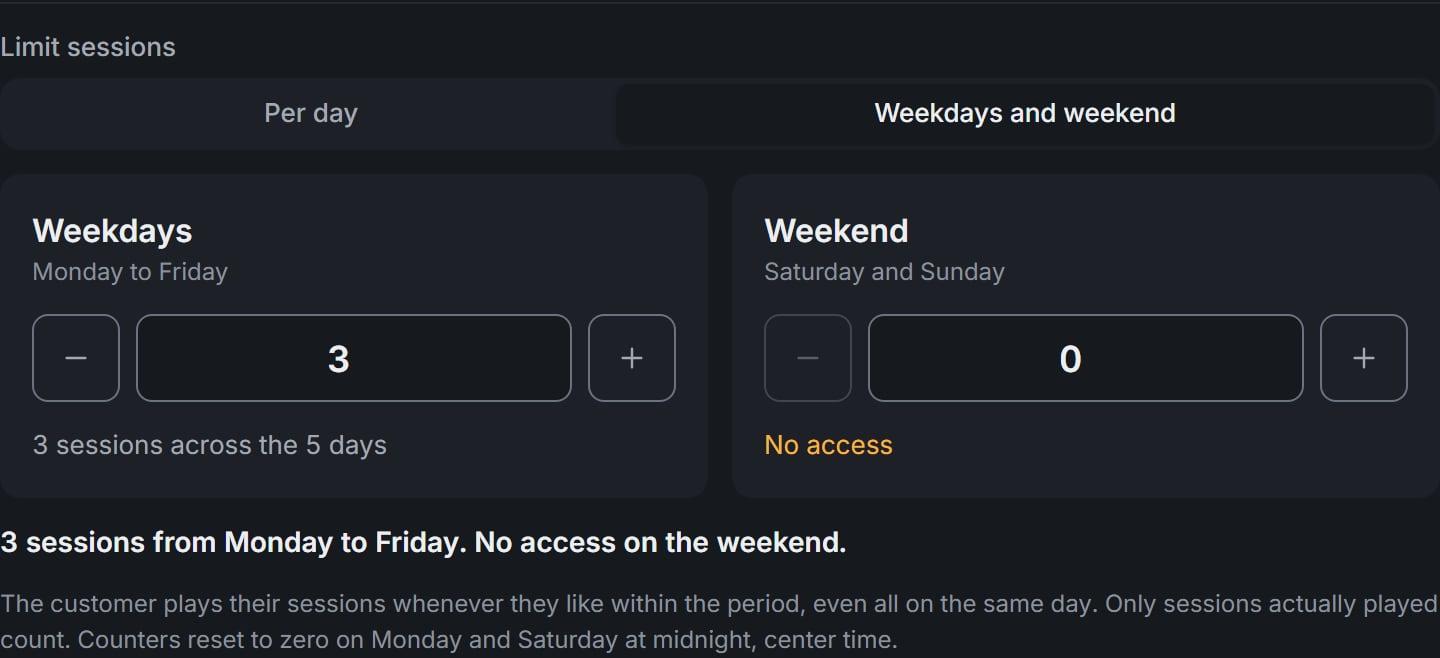
A pass is valid until a date, with a cap on sessions per day, or per weekday and weekend. A “weekday pass” set to 3 sessions Monday to Friday and 0 at the weekend can sell for far less than an unlimited one, without taking up a Saturday slot.
The cap is locked onto the ticket sold: you can change your offer tomorrow without touching passes already paid for.
A membership is a pass paid every month: 4 hours of driving a month, or a few sessions a week, charged to your Stripe account until the customer cancels. They keep the same QR code from one month to the next.
Any product can also be given as a gift: a birthday or an office party brings you a new driver, who receives the ticket in their own name and picks a nickname at the simulator.
Email campaigns then follow up with your drivers for you: a message after the first session, an offer to those who have not been back for a month, a reminder before a ticket expires. Offers only go to drivers who accepted them.
Turn on the booking QR code and the animated booking explainer on your simulators' screensaver. A customer waiting for their turn, or just out of the seat, leaves with the next session already bought.
A dated banner at the top of the booking page announces the current offer, and disappears on its own when the period ends.
See also
Try Omnisim on your own simulators for 14 days, no credit card required.