Open access for the evening
Schedule free access on the rigs you choose. Guests sit down, enter a name and drive; the rigs return to normal on their own.
Corporate sim racing events
Issue a bundle of tickets in the company's name, let guests identify themselves on the rig, and watch the results build up on the event leaderboard.
The workflow
Create a company product with its duration and validity, or schedule free access on the rigs for the length of the event.
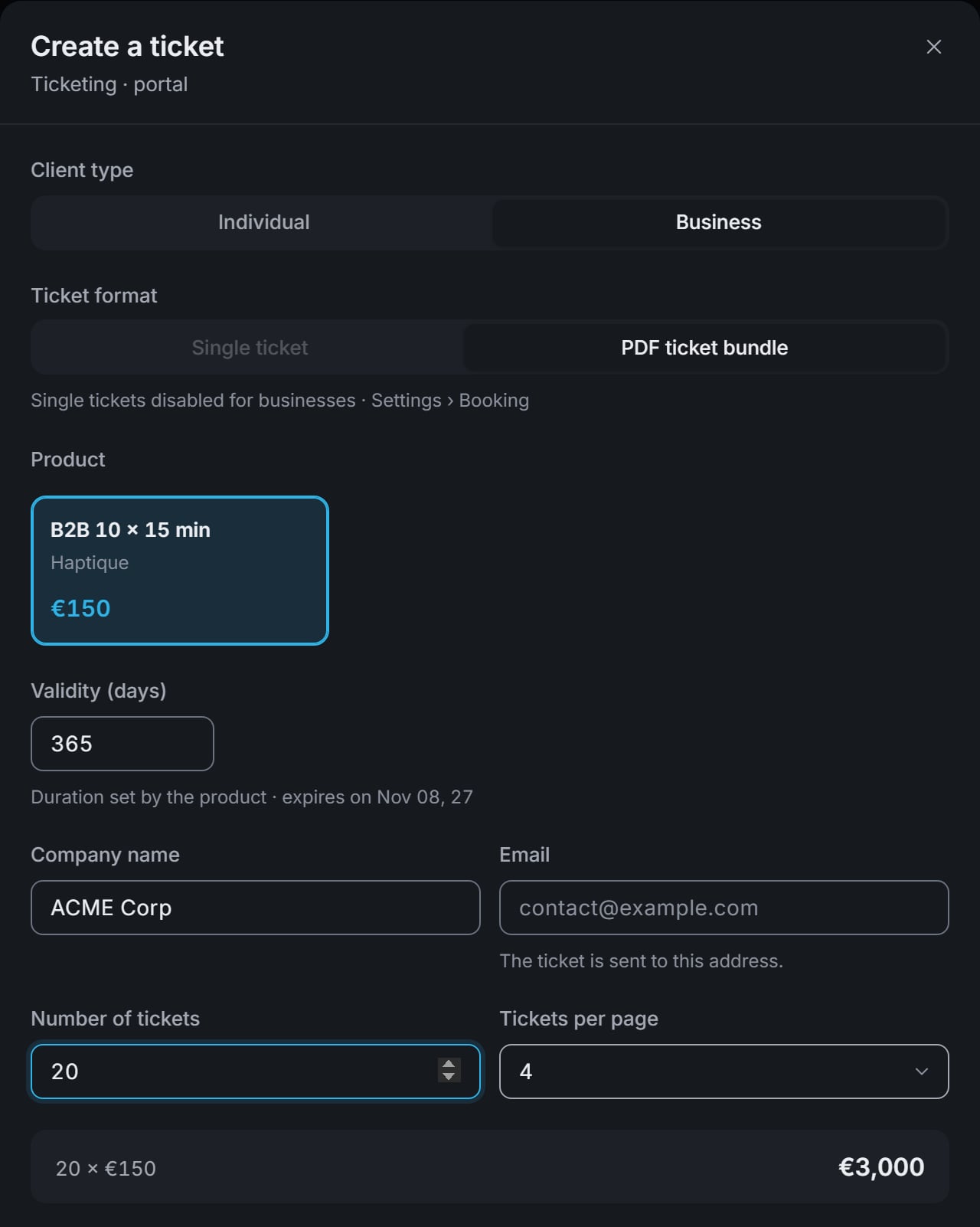
Choose the number of guests. Omnisim produces one PDF with a separate QR code for each of them.
Print the bundle or forward the PDF to the organiser. No list of names to collect.
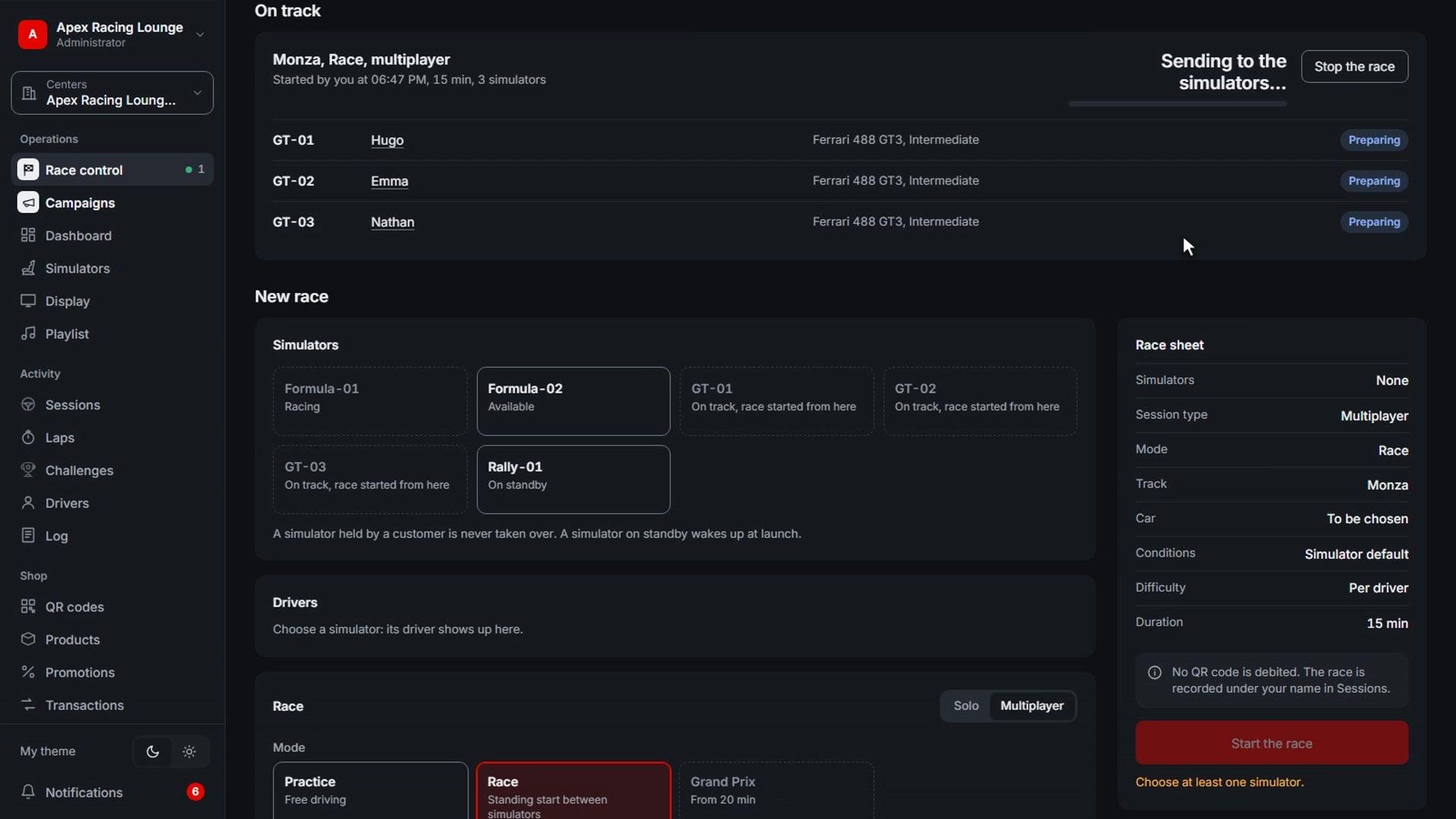
Guests scan and drive on their own, or your staff start everyone together from race control.
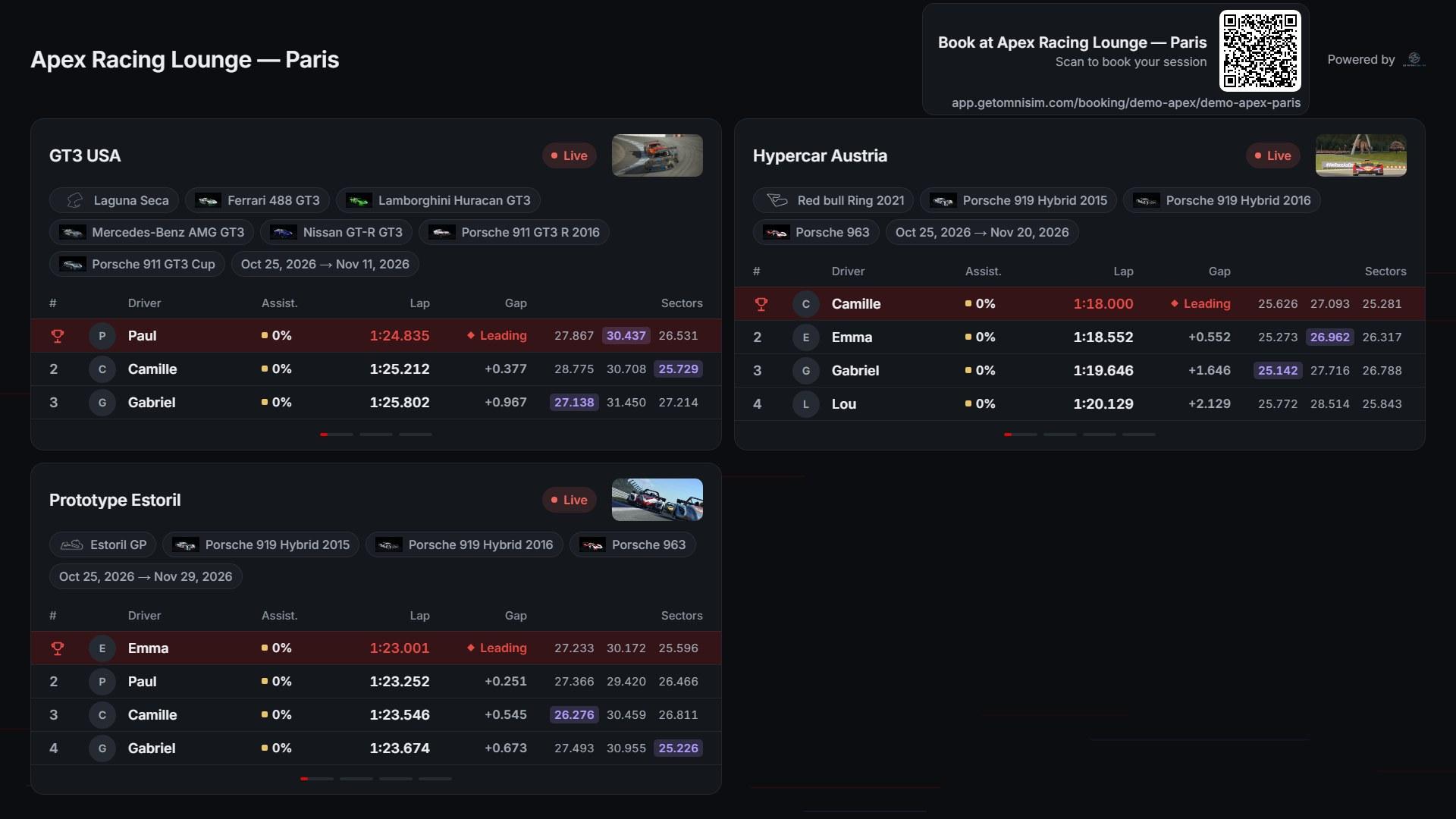
Every lap feeds the event leaderboard, live on a screen in the room.
Tickets
From the dashboard, choose the business client type, the company product and the number of tickets. The PDF carries your logo, the session length and the validity date.
The tickets carry no personal name. Each guest types their own on the rig, so nobody has to gather a list of participants beforehand.
Two ways to run the room
Schedule free access on the rigs you choose. Guests sit down, enter a name and drive; the rigs return to normal on their own.
Each guest scans their QR code, and driving time is counted per person.
From race control, staff launch the same race on several simulators, with no QR code needed.
Practice, qualifying and the race chained automatically, for a real competition between colleagues.
Results
Create a challenge for the event: one track, a set of cars, a start and an end. Every lap driven by a guest lands on it, and the ranking is shown live on a screen in the room.
When the evening ends, the podium is already on screen. More on leaderboards and screens.
No. They type a name on the rig. An email address is optional.
Yes. Free access is scheduled simulator by simulator, and a product can be limited to the hours you choose.
You invoice it as you usually do. Omnisim issues the tickets; it does not take that payment.
Up to 500. Twenty tickets or a hundred come out as one PDF.
Yes, on the simulators you keep out of the event.
See also
We build the demo around your next group booking.