Lock and unlock
Unlock a rig so a customer can drive without scanning a ticket, for your center's default session length; no QR code is used. Lock it again and it returns to the screensaver, waiting for a scan.
Sim racing fleet management
Know which rigs are racing, free or down, act on any of them without walking over, and let the fleet power itself down at closing and back up before opening.
Live status
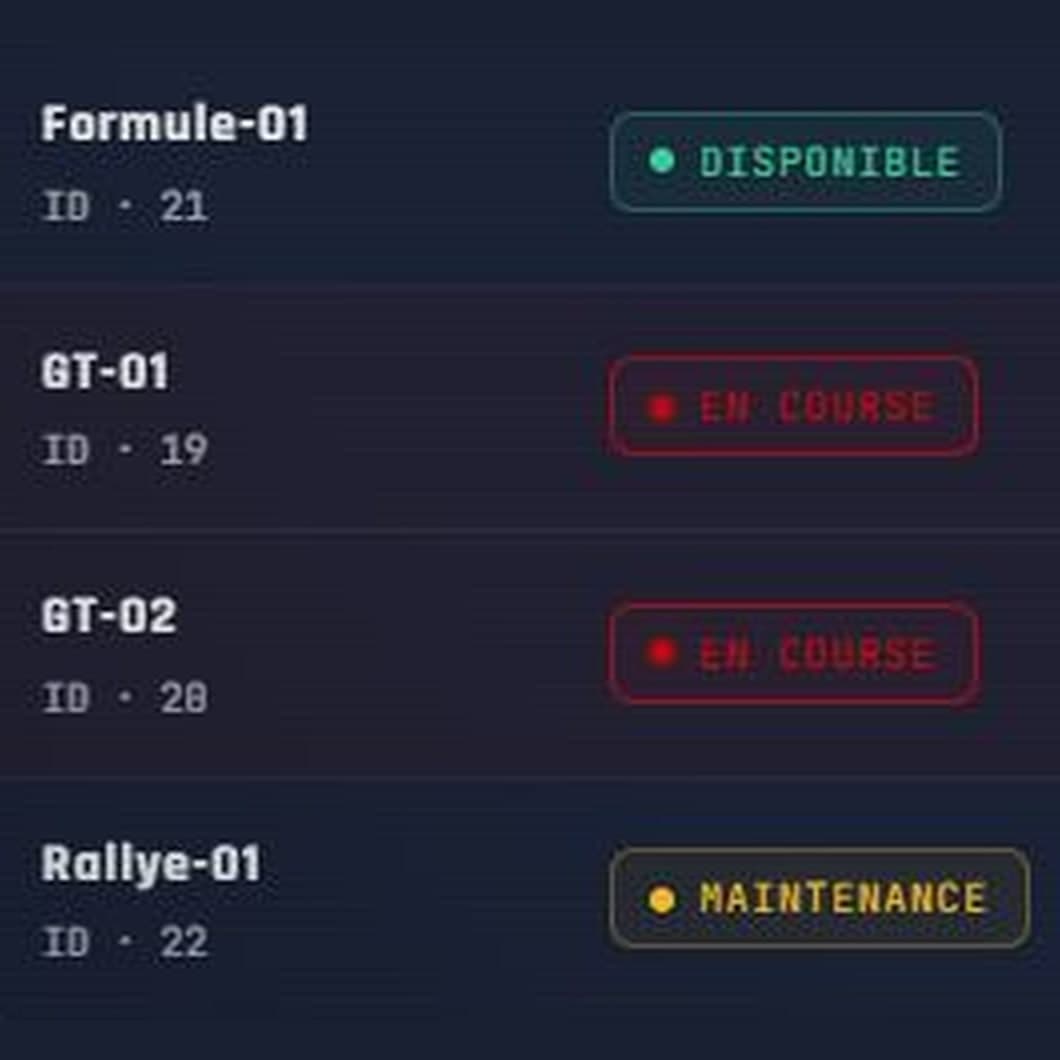
The Simulators page of the Omnisim dashboard lists every rig in the selected centers and refreshes every 10 seconds. Each one shows a single status: Racing, Available (waiting for a QR scan), Unlocked, Maintenance, Standby, Free access, Asleep, Powered off, Offline or License inactive.
Counters at the top always describe the whole fleet, whatever filter you apply below. Expand a row to see CPU and RAM load, GPU temperature and the application in the foreground: useful when a rig feels slow or someone left a Windows window on top of the game.
A rig put to sleep by your schedule shows as Asleep, and one switched off by it as Powered off, not Offline. You can tell at a glance a machine that is resting from one that has failed.
Remote commands
Each row carries its own buttons. The rig applies the command within seconds and its status changes accordingly.
Unlock a rig so a customer can drive without scanning a ticket, for your center's default session length; no QR code is used. Lock it again and it returns to the screensaver, waiting for a scan.
Puts the rig behind a maintenance screen (the default "Simulator unavailable" or your own image) and locks it. A ticket scanned meanwhile is refused and nothing is deducted from it.
Turns the screen off and locks the rig while keeping it switched on and reachable. Handy during quiet hours; one click wakes it up. Not available while someone is racing.
Stops a frozen game without rebooting the machine. Since credit is only deducted for time actually driven, the player is not charged for the minutes lost.
Reboots the simulator's computer. The rig shows as Offline for the restart, then comes back on its own once the Omnisim software has started.
Request a fresh screenshot of the rig, free disk space, uptime, software version and the last lines of its log, ready to copy for support.
Energy schedule
In Settings › Energy, pick a closing time and a wake-up time, the same every day or one per day. In Sleep mode, each simulator goes into Windows sleep at closing time and wakes itself up in the morning with a wake timer: nobody has to walk from rig to rig with a power button. A full Shutdown mode exists too, but the machine then only powers back on if its BIOS is set to.
A rig that is still in use at closing time does not get cut off: it only sleeps once it is locked and Assetto Corsa is closed, and retries as soon as it becomes free. Any rig left in standby the evening before is woken up with the others, so the floor is ready when you open.
This schedule is different from the Standby button. Standby only turns the screen off and keeps the rig reachable for commands; scheduled sleep really puts the machine to sleep, and nothing can reach it until its wake-up time.
Day-to-day operations
In-app notifications when a simulator goes offline or comes back, an input device is unplugged, the QR reader fails, Assetto Corsa crashes, a GPU runs hot or a disk fills up. Preferences are set per center, and offline alerts follow the energy schedule.
Printed codes your team scans at a rig to restart it, unlock it, switch maintenance on or off, or open free access until a set date. Reusable while valid, editable without reprinting, revocable, and every scan is logged.
The simulator software updates itself, but only installs when the rig is locked and Assetto Corsa is closed, never during a game. Choose the Stable or Beta channel; in manual mode you pick the target version and can roll back.
Locks, unlocks, standby, maintenance and restarts are recorded with who did it, when, and from where: the dashboard, a command QR code or the simulator itself.
Content sync
Add a car or a track to one simulator and share it with the others. Each rig in a share has a role: Source (publishes only), Mirror (receives only) or Bidirectional. The simplest setup is one reference rig as Source and every other rig as Mirror. Cars, tracks and driver models can be shared; weather is not.
Copies only run while a simulator is idle, never while someone is driving, so a large mod pack does not slow down a session in progress. A rig picks up a new or changed share within minutes once it is at rest, and you follow progress rig by rig. Deletions are not propagated unless you turn that on.
Simulators find each other directly on the local network; a share can also span several centers, in which case the copy goes over the internet.
Access & resilience
The dashboard runs in a browser, with nothing to install and no server on site. On a phone, each rig's commands sit behind a Commands button on its card. Settings changed in the dashboard reach the simulators without anyone on site.
Front desk, Technician and Center manager roles can send commands to the rigs. The Read only role sees the fleet without the command buttons.
Without your consent, the Omnisim team only sees your rigs' status. You open access per simulator for 4, 24 or 72 hours, revoke it at any time, and every support command lands in your log.
A session in progress is not lost: the player finishes and laps are sent once the connection is back. No new session can start until then, by design, and the content list stays on the rig.
Yes. Choose Sleep mode in Settings › Energy, then set a closing time and a wake-up time, globally or day by day. Each rig goes into Windows sleep at closing and wakes itself up with a wake timer. A rig still in use waits until it is locked and Assetto Corsa is closed. In Shutdown mode, rigs only power back on if their BIOS is configured for it. The manual covers how to schedule shutdown and wake-up.
No. Updates only install on a locked simulator with Assetto Corsa closed. A rig that is never locked long enough stays on its current version until it is.
Use the AC button on that rig to close the game without rebooting, or Restart to reboot the PC (it goes through without a confirmation and cuts any race in progress). Credit is only deducted for the time actually driven, and if 10 seconds or more were left, the remaining time stays on the player's QR code for the next scan.
Only if you allow it. By default the support team sees your rigs' status, nothing more: no commands, no screenshots, no logs. You grant remote access for selected rigs for 4, 24 or 72 hours, it closes by itself at the end, any extension needs your explicit approval, you can revoke it at any time, and each support command is logged.
Standby, sent from the Simulators page, turns the screen off and locks the rig but keeps it on and reachable: you wake it with one click. The energy schedule really puts the machine to sleep, and no command can reach it until its programmed wake-up time.
Sessions already running finish normally and their laps are stored on the rig, then sent in order when the connection returns. While offline, a rig refuses new scans and launches with an "Internet connection lost" message: Omnisim does not offer offline play.
Yes, with command QR codes. Scanned at a simulator, they restart it, unlock it, toggle maintenance or open free access until a date you set. You can edit or revoke a code without reprinting it, and every scan appears in the intervention log.
See also
Start a 14-day free trial, no credit card required. Selling sessions online and the player's side of the rig are covered on the booking software and kiosk software pages.